Nick Mariano
IT Professional
Raspberry Pi Sensor IoT Project
Raspberry Pi Sensor Data Stream to Azure IoT Hub with Python
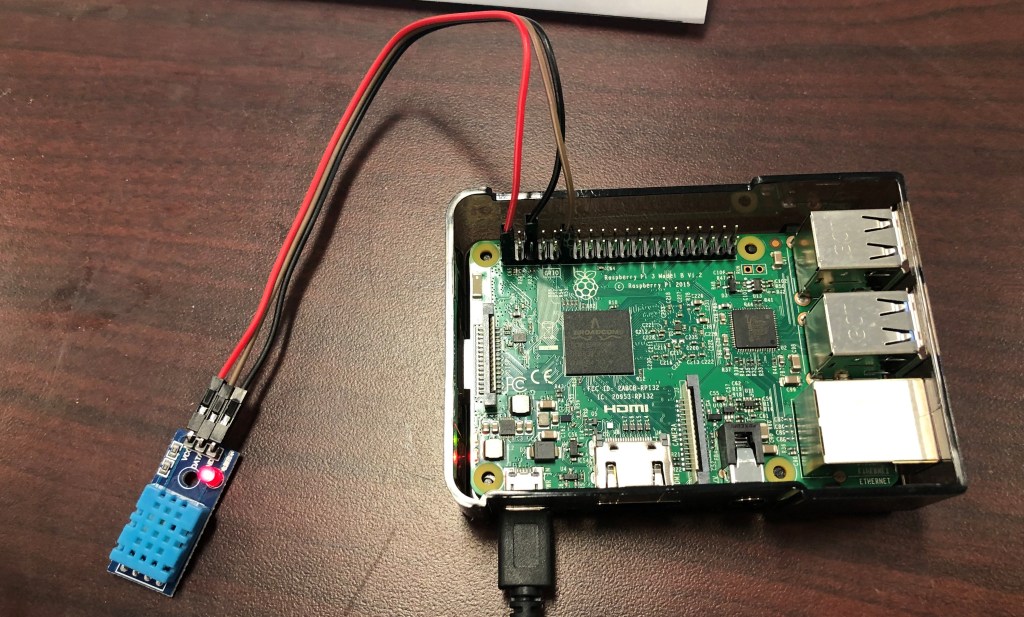
I started this project because it was always hot in my apartment room and I always wondered what the temperature was. The project consists of a DHT11 temperature and humidity sensor connected to a Raspberry Pi. Using a basic program, it can read and output the room’s temperature and humidity. I wanted to incorporate my project with what I am learning and passionate about so I extended the project where I could stream the temperature to Azure IoT Hub and visualize the real-time data using Stream Analytics and Power BI.

1.) Setup Raspberry Pi 3B / DHT11 Sensor

2.) Create IoT Hub and IoT device in Azure
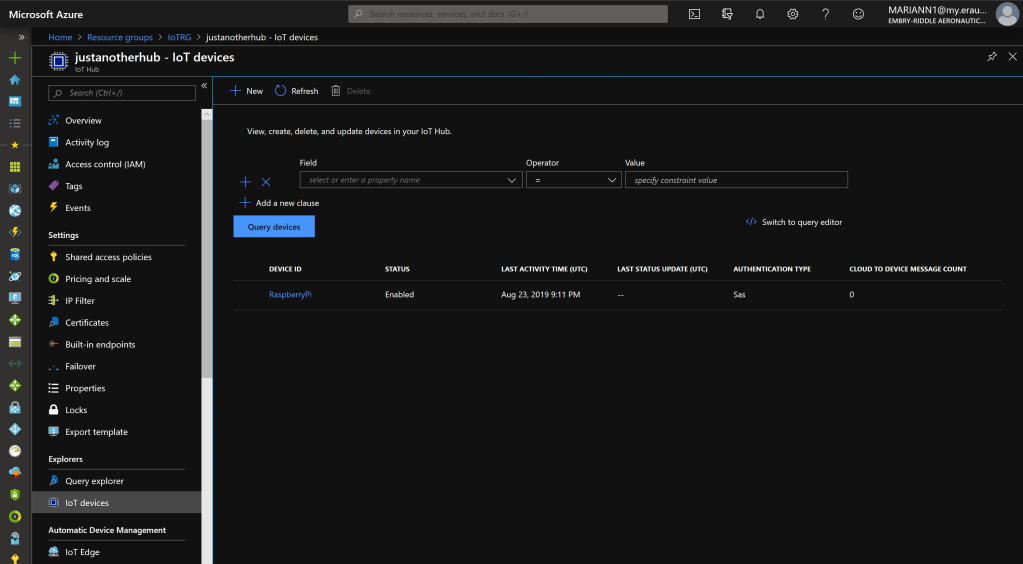
Navigate to Built-in endpoints and create a new consumer group which will be used for Stream Analytics.
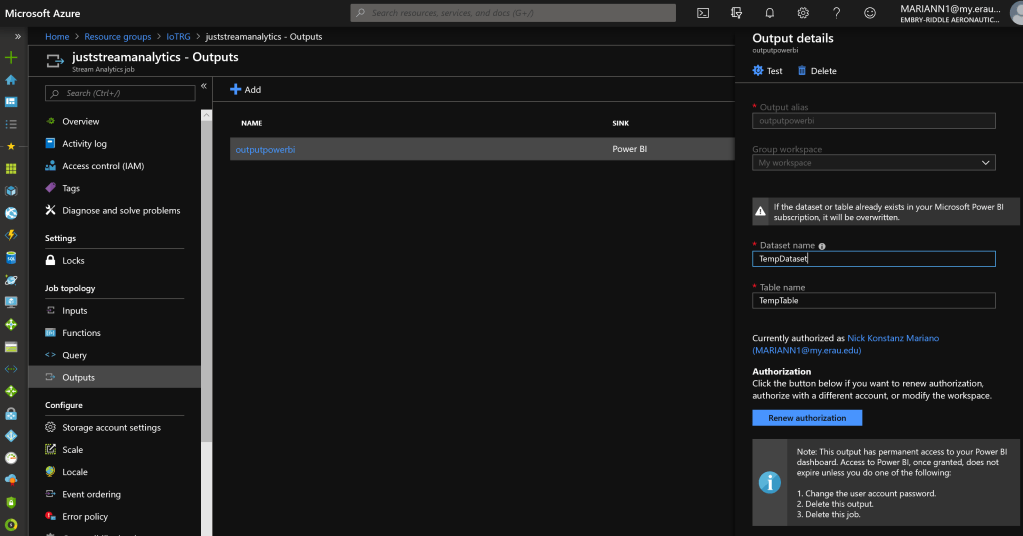
3.) Create and Setup Stream Analytics Input & Output

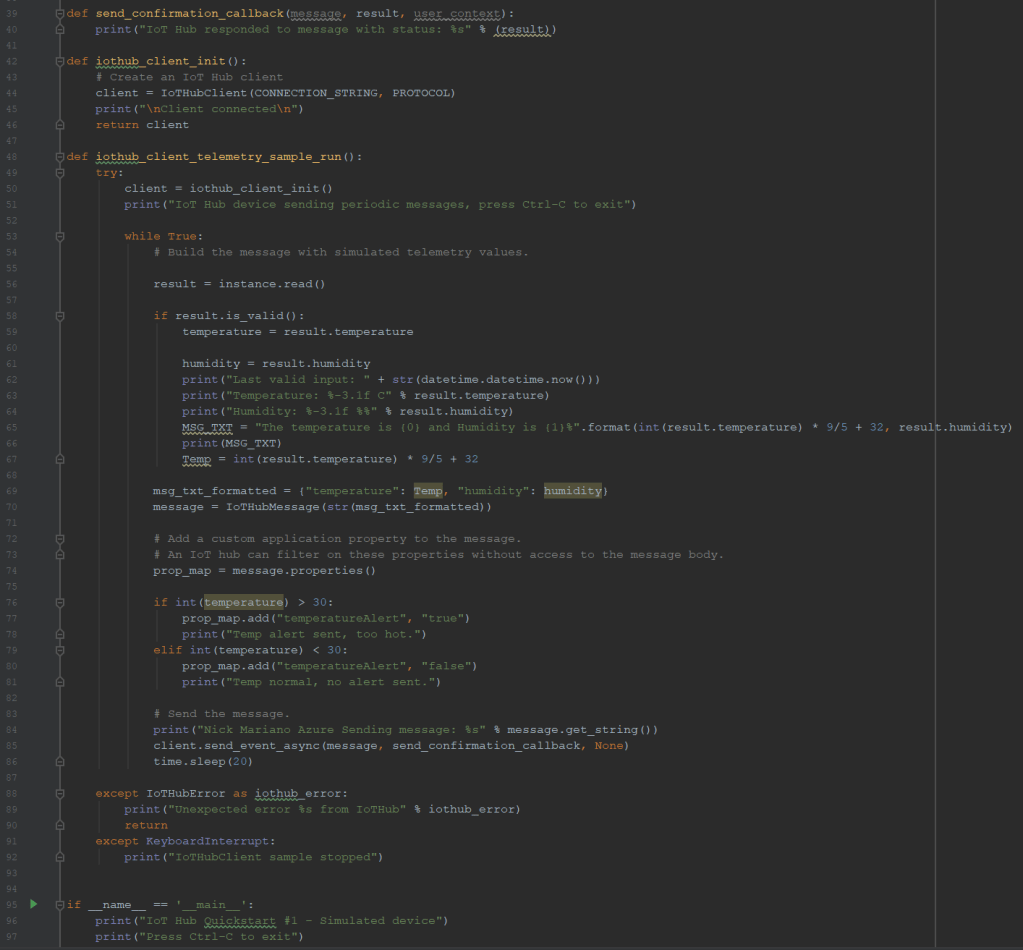
4.) Run Python program and send telemetry using MQTT protocol

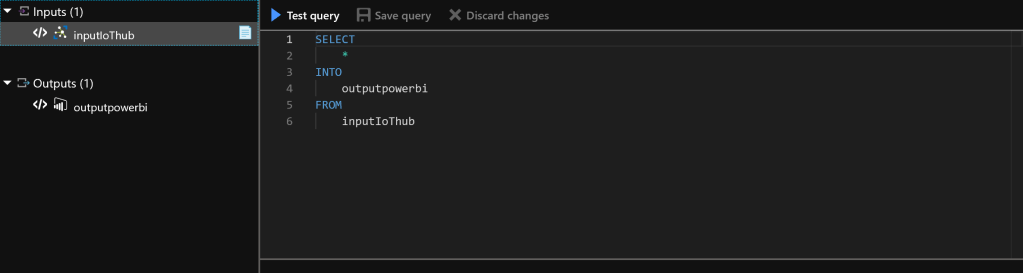
5.) Stream Analytics Query
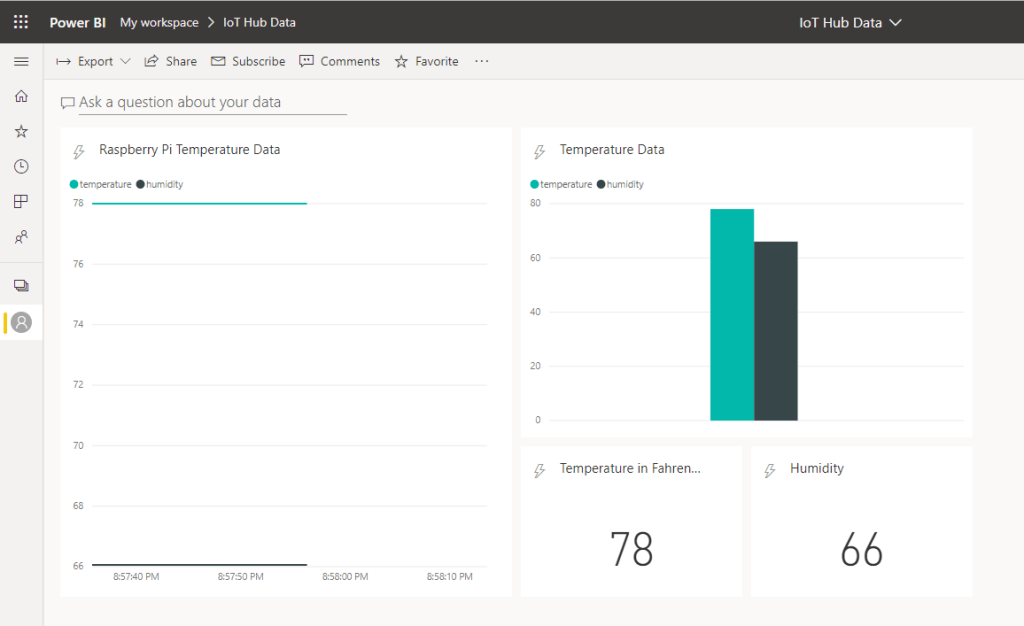
6.) Power BI Dashboard
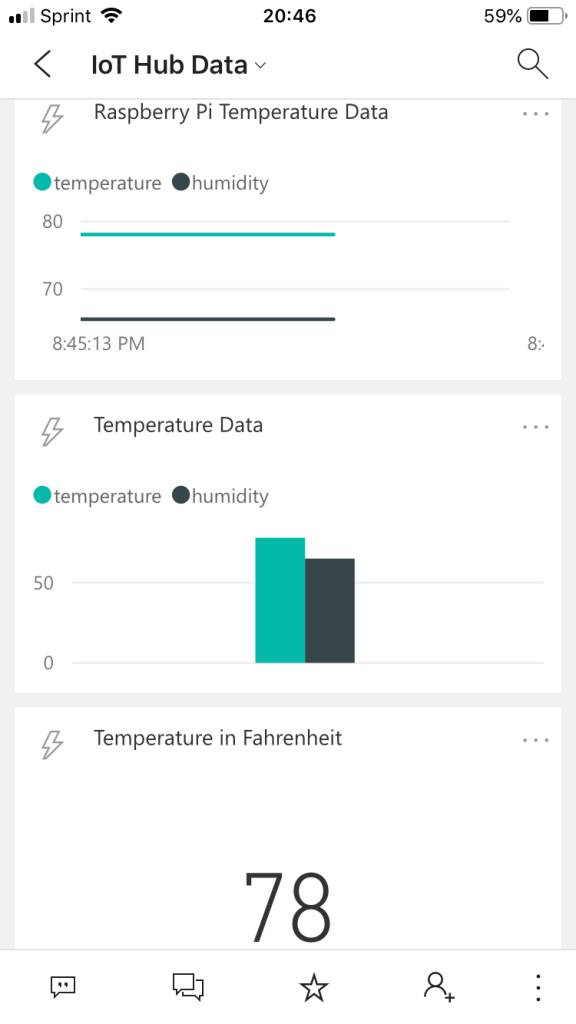
7.) View Data from Mobile Device
 Nick Mariano